
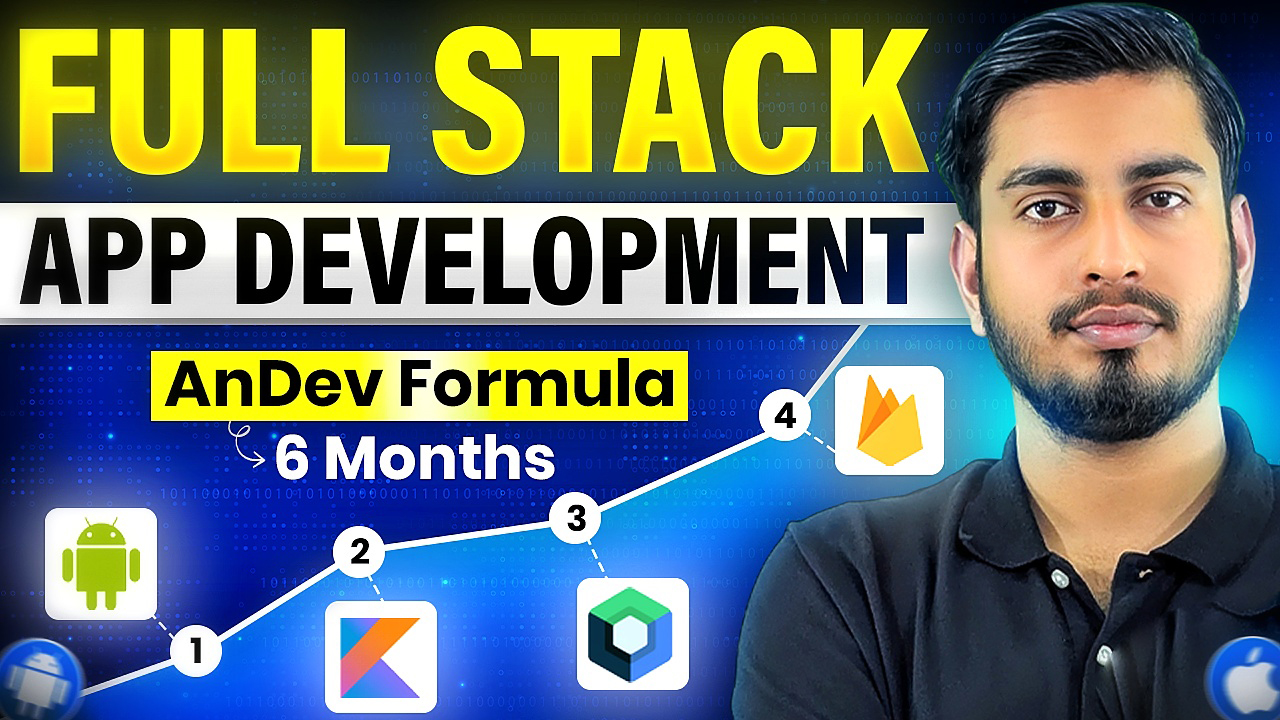

Let Nextcent do the work so you don't have to!
Explore App Development Course Syllabus
Learn Android & Cross-Platform App Development with Real Projects, Hands-on Practice & Industry-Ready Skills
Phase I - Live Foundation
- Why We Need Mobile Apps
- Introduction of Mobile Apps
- Different Kinds of Mobile Apps
- Importance of Apps
- Introduction to Kotlin
- Kotlin Fundamentals
- Operators in Kotlin
- Null Safety
- Control Flow (Condtional & Loops)
- Collections in Kotlin
- Functions & Lambdas
- Basic Error Handling
- Kotlin Advanced Features
- OOP Basics
- 4 Pillar of OOP
- Interfaces
- Data Classes
- Abstract Classes
- Enum vs Sealed Classes
- Generics & Reusability
- Singleton & Shared Concepts
- Setting up Android Studio
- Set Up with SDK in Android Studio
- Creating First Project
- Understranding Interface
- Emulator Setup
- Running First App
- Introduction to Jetpack Compose
- XML vs Jetpack Compose
- Advantages of Jetpack Compose
- Row Layout
- Column Layout
- Box Layout
- Spacer
- Constraint Layout
- Text
- TextField
- Outlined TextField
- Basic TextField
- Images
- Icons
- Button
- Outlined Button
- Text Button
- Icon Button
- Divider
- Card
- What is State?
- State Management
- Preserving State
- State Hoisting
- Stateful and Stateless
- ViewModel Integration
- Type-Safe Navigation
- Back Stack Handling
- Nested Navigation Graphs
- Lazy Row
- Lazy Column
- Lazy Horizontal Grid
- Lazy Vertical Grid
- Top App Bar
- Bottom Bar
- Floating Action Button (FAB)
- Toast
- Snack Bar
- Alert Dialog
- Navigation Bar
- Navigation Drawer
- Drop Down Menu
- What is Responive UI?
- How to make UI Responive?
- Dice Rolling App
- Tic Tac Toe Game
Phase II - AnDev Formula
- Activity Lifecycle Methods
- State Changes & Configuration Handling
- Saving & Restoring State
- Bundles for Data Passing
- Parcelable Implementation
- Task & Back Stack Basics
- Launch Modes Overview
SharedPreferences Basics
Saving & Retrieving Data
Internal Storage Overview
Reading & Writing Files Internally
External Storage Overview
Reading & Writing Files Externally
Best Practices for Local Storage
Introduction to Room
Entities & Data Models
DAO (Data Access Object) Basics
Writing Queries & Annotations
Database Creation & Migration
Performing CRUD Operations
- Note Taking App
Intent & Intent Filters
Explicit & Implicit Intents
Services Basics
Broadcast Receivers
Content Providers
Introduction to Animations
- View Animations:
- Translate
- Scale
- Rotate
- Alpha
Property Animations:
ObjectAnimator
AnimatorSet
MotionLayout Basics
Animating UI in Jetpack Compose
Introduction to APIs
APIs in Android
What is an API Key
Implementing API Key
Using Postman for Testing
Understanding JSON
- Introduction to DI
- Hilt Setup in Android Project
- Hilt Implementation
- @Inject, @Module, @Provides
Designing a Beautiful UI
Fetching Weather Data from API
Dependency Injection (Hilt)
Displaying Weather Information
Handling Loading & Error States
Polishing UI with Animations & Icons
Setting up Firebase in Jetpack Compose
Firebase Authentication Basics
Integrating Firebase Auth with Compose
Using Firestore for Real-time Data
Implementing Realtime Database in Compose
Handling Media with Firebase Storage
Introduction to Supabase & Features
Setting Up Supabase for Android
Authentication with Supabase
Realtime Database & CRUD Operations
Managing Tables and Relationships
Integrating Supabase with Jetpack Compose
Introduction to Coroutines
Launching Coroutines in Android
Suspending Functions & Async Programming
Flow Basics & Reactive Streams
Introduction to App Architectures
MVVM (Model-View-ViewModel)
Clean Architecture Overview
MVP & MVI Basics
Repository Pattern Overview
Best Practices & Project Structuring
Designing a Modern Media Player UI
Playing Video Files in Android
- Video Playback Features
Controlling Playback (Play, Pause, Seek)
Handling Media Notifications
Phase III - Expert
Setting Up CameraX in Android
Capturing Photos & Videos
Previewing Camera Output
Handling Camera Permissions
Advanced Features: Zoom, Flash, and Focus
- Introduction to Notifications
- Creating Local Notifications
- Notification Channels & Groups
- Scheduling Notifications
- Integrating Firebase Cloud Messaging (FCM)
- Handling Push Notifications
- Varieties of Permissions in Android
- How to Add Permission to the App
- How do you Ask for Run-Time Permission
Designing Modern UI
Firebase Integration (Auth, Firestore, Storage)
Handling Permissions
Advanced Dependency Injection (Hilt)
Clean Architecture
User Authentication & Profile Management
Product Listing, Cart & Checkout Flow
Polishing App with Animations & Transitions
Introduction to Maps in Android
Integrating Local Street Maps
Displaying Markers & Locations
Camera Movement & Zoom Controls
Handling User Interactions on Map
Introduction to APIs & Backend Concepts
Setting Up Backend for Android Apps
Creating RESTful APIs
Handling Requests & Responses
Working with JSON Data
Testing APIs with Postman
- Difference between Artificial intelligence, Machine learning, and Deep Learning
- Connectivity with Python
- How to run ML model in Android
- Firebase Machine Learning Kit
- Mediapip ML in android
- Replit in Android
Introduction to Cross-Platform Development
What is Kotlin Multiplatform (KMP)
KMP Architecture & Use Cases
Introduction to Compose Multiplatform (CMP)
Sharing Code Between Android & Other Platforms
Building UI with CMP
Best Practices & Project Examples
Setting Up Google Play Console Account
Preparing App for Release
Generating Signed APK / AAB
Publishing App on Google Play Store
Managing Store Listing & Updates
Introduction to Monetization
AdMob Overview
Integrating Banner, Interstitial & Rewarded Ads
Best Practices for Ads Placement
Maximizing Revenue & User Experience
- Manage the App on Play Store
Resume Building Tips
Interview Preparation Strategies
How to Grab an Internship
Internship Opportunities at Neat Roots
Finding Off-Campus Opportunities
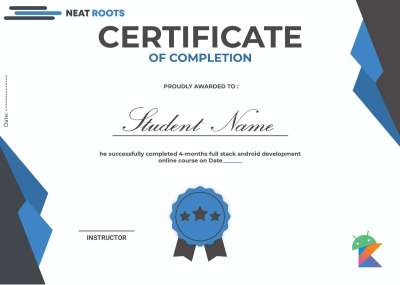
Certificate of Completion
Real Stories from Our Mentorship Program
See how Neat Roots has helped aspiring developers transition into high-paying tech careers with industry-ready skills.
"I really liked the course and the instructor's teaching style. I learned a lot and understood the topics well. It changed my perspective on development."

"The course content was aligned with industry needs and current trends in Android development. Teaching method keeps students engaged."

"The learning method helps me to boost my Android journey. I am very excited to be the part of Neat Root Family. Thanks!"

"The course and mentor both provide a great experience. The mentor is very friendly and their approach is focused on helping students, which makes learning really engaging."

"You teach very well, and no other place offers Android courses at such a low cost. Thank you, Neat Roots."

"I've completed almost all of your recorded videos. Our mentor is excellent! Highly recommend for anyone with office hours."

"Precise enough to give us a good knowledge. I've also made some great friends along the way!"

"This course is precious for me. The content is comprehensive and well-organized. Instructors are engaging."

"The money I paid was nothing compared to the extra information Sir is providing. Very happy!"

"Everything was really good and I enjoyed the course content. Thank you Neat Roots."

"I started watching on YouTube and understood your technique. I am very happy to enroll in this course."

"Overall, the system and course content were good enough for my learning goals."

Why Learn App Development with Neat Roots?

Beginner To Pro with Jetpack Compose
Jump into creating apps with Jetpack Compose, the easy and modern way to design Android user interfaces. Whether you're a complete beginner or aiming to become a pro, we’ll guide you from the basics to advanced UI design, ensuring a smooth and enjoyable learning journey for everyone.

Simple and Strong Backend
Learn the basics of building the backbone of apps with easy-to-follow backend development. Explore online databases like Firebase and Supabase, integrate real-time data into your apps, and understand backend concepts that complement your front-end skills, making you a well-rounded app developer.

Android & ios Development
Explore the power of Kotlin Multiplatform (KMP) and Compose Multiplatform (CMP) to create apps that run on Android, iOS, Desktop, and Web from a single codebase. Learn how KMP handles shared logic while CMP allows you to build beautiful, responsive UIs across platforms. This approach makes cross-platform app development simple, efficient, and versatile for both beginners and pros.

Hands On Project for Strong Learning
Elevate your skills by working on 8 engaging projects. From full-featured apps like e-commerce and video players to fun mini projects. These projects help you apply what you learn and transition smoothly from concepts to real-world app development.

Doubt Assistance
Don't let bugs slow you down. Get 1:1 doubt support from dedicated TAs and our private batch community. We ensure every question is answered so you can keep building.
Enroll in AnDev FormulaGet Certificate on Complete
Start Learn Today
- Shareable Specialization and Course Certificates
- Self-Paced Learning Option
- First 2 Months Live Classes
- Course Videos & Readings
- Practice Quizzes
- Graded Assignments with Peer Feedback
- Graded Quizzes with Feedback
- Graded Programming Assignments
Student Feedback
Loved by Students & Trusted by Professionals ❤️
App Development Roadmap 2026
01: Language & Environment
- Android Studio, SDK & Emulator
- Kotlin Fundamentals
- OOP in Kotlin
- Collections & Null Safety
- Lambdas & Higher Order Functions
02: Modern UI
- Compose Basics
- State & Navigation
- Material 3 Theming
- Responsive UI
03: Core & Data Management
- App Components
- Room Database
- Data Store
- Internal/External Storage
04: Networking & Backend
- API Integration & Coroutines
- Firebase Integration
- Maps Integration
- Version Control (Git & GitHub)
05: Architecture & Pro Tools
- Clean Architecture & MVVM
- Dependency Injection with Hilt
- Notifications
- Permissions
- Camera X
06: Deployment & Career
- App Signing & Store Listing
- Monetization & Analytics
- Play Store Guidelines & Policies
- App Size Optimization
07: Advanced Track (Optional)
- MongoDB Integration
- API Development
08: Multiplatform & AI (Extra)
- AI Integration
- OpenAI APIs
- Kotlin Multiplatform
- Compose Multiplatform
FREQUENTLY ASKED QUESTIONS
Batch Related Doubts
The App Development course takes 6 months to complete.
Our approach to learning is based on practical experience. After covering the fundamentals of each topic, you will work on carefully designed practical tasks and milestone-based projects to strengthen your understanding. Throughout the program, you will complete structured assignments, which will be reviewed with detailed feedback to help you improve and grow step by step.
In 2026, the world is completely mobile-first. Businesses, startups, and even small brands need mobile apps to grow. By learning app development, you gain one of the most in-demand skills in the tech industry.
- App developers enjoy high-paying jobs, freelancing opportunities, and the ability to build their own products. With billions of smartphone users worldwide, the market is massive.
Learning app development is not just about coding, it’s about building your career, increasing your income potential, and future-proofing yourself in the digital world.
You will get lifetime access to all live class recordings. For AnDev Formula, access is provided for 1 year. We believe a clear deadline helps you stay consistent and avoid procrastination. Our goal is not just to give access, but to help you complete the course on time and move towards real opportunities faster.
Live Class Days: Monday Wednesday & Friday
3 Lectures per week
Lecture Duration (2+ Hours)
After each lecture, there is a 15-minute Doubt Session.
Evening (8:00 IST to 10:00 IST)
The course is taught in Hunglish (a mix of Hindi & Urdu & English)
Yes, you will get a certificate after finishing this course.
Yes, this self-paced course can be taken along with college classes. If you miss a lecture, you can learn by watching the recording on the following day.
After payment, share a screenshot of your payment with me on WhatsApp https://wa.me/message/H5HTR5WQKFJMN1
You’ll be added to the telegram group within 4 working hours. You will get class links, assignments, and other data there.