AnDev Formula 2026

Become a job-ready
Android developer
in 6 months.

Full Stack App Development mentorship program covering Kotlin, Jetpack Compose, backend, and architecture! Taught the way it's actually used at companies that ship Android apps to millions.

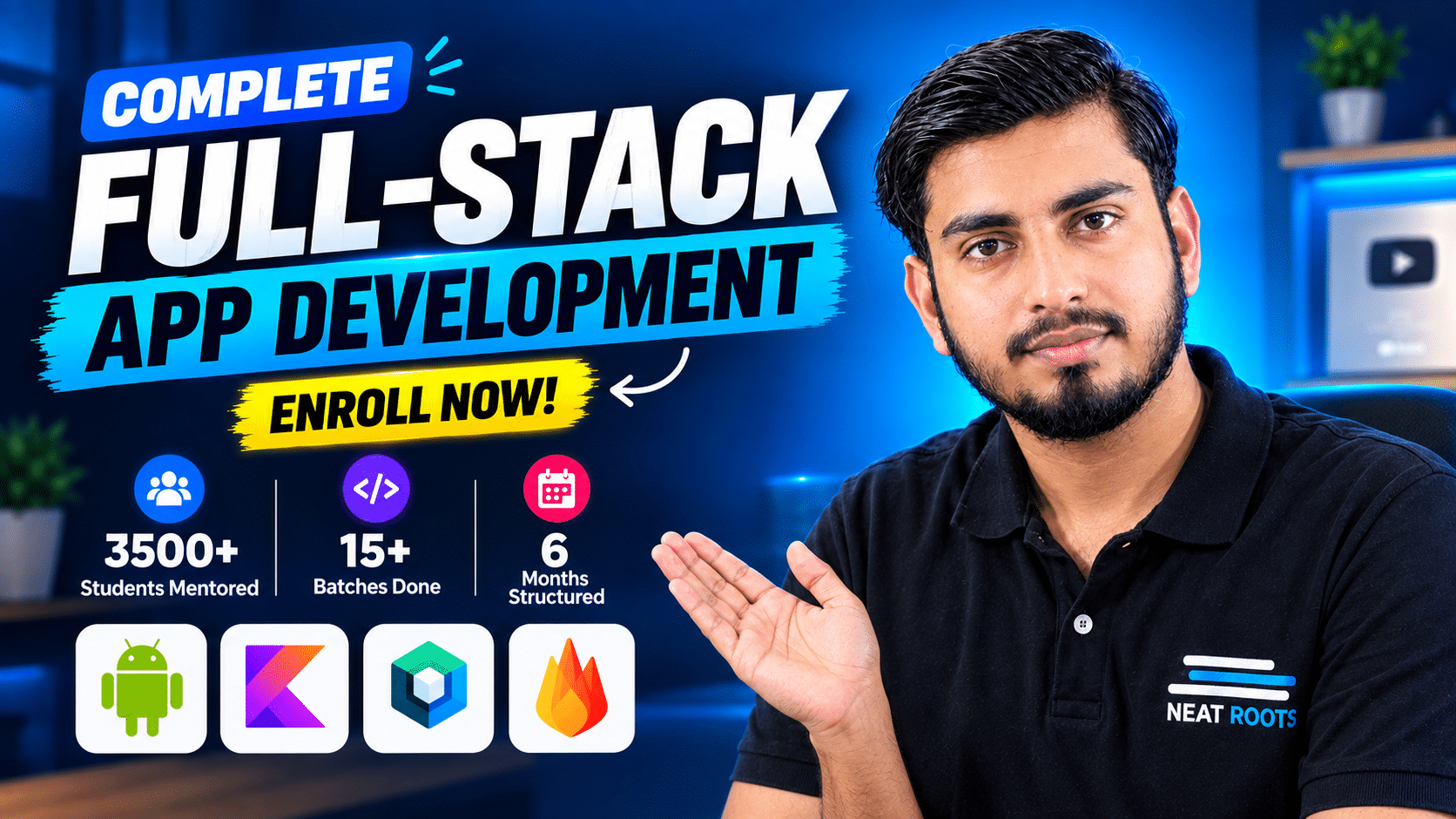
15+
batches completed
3,500+
students mentored
6 mo
end-to-end program
Kotlin + Compose
@Composable
fun App() {
  Greeting("World")
}
9:41
My journey
AnDev Formula
Progress
82%
Modules
14 / 24
Projects Shipped
3 / 8
AnDev Formula next batch starts June 1, 2026 (Limited seats available)
00
Days
00
Hours
00
Mins
00
Secs
Secure your seat
Limited seats closing soon (Secure yours before time runs out)
00
Days
00
Hours
00
Mins
00
Secs
Secure your seat
AnDev Formula — Course Launch

Companies hiring Android Developers in 2026.

Build the stack these teams are looking for, in 6 months. AnDev Formula prepares you for the kinds of companies actively hiring Android devs right now.

Swiggy
Zomato
Paytm
PhonePe
Razorpay
Zoho
Google
Samsung
Meta
Spotify
Uber
Netflix
Airbnb
Shopify
Discord

Three phases. One outcome.

Six months of live mentorship, structured into three phases. Tap any topic to see what's inside.

01Introduction to Mobile Apps+
  • Why we need mobile apps
  • Different kinds of mobile apps
  • Importance of apps in 2026
02Kotlin Language Essentials+
  • Kotlin fundamentals
  • Operators in Kotlin
  • Null safety
  • Control flow (conditionals & loops)
  • Collections in Kotlin
  • Functions & lambdas
  • Basic error handling
  • Kotlin advanced features
03Object-Oriented Programming in Kotlin+
  • OOP basics
  • 4 pillars of OOP
  • Interfaces & abstract classes
  • Data classes
  • Enum vs Sealed classes
  • Generics & reusability
  • Singleton & shared concepts
04Setting Up Android Studio+
  • SDK setup in Android Studio
  • Creating your first project
  • Understanding the IDE
  • Emulator setup
  • Running your first app
05Jetpack Compose Intro+
  • XML vs Jetpack Compose
  • Advantages of Compose
  • Composable functions
06Layouts in Jetpack Compose+
  • Row, Column, Box layouts
  • Spacers
  • Constraint Layout
07Composables+
  • Text, TextField, OutlinedTextField
  • Images & Icons
  • Buttons (Outlined, Text, Icon)
  • Dividers & Cards
08State Management+
  • What is state
  • Preserving state
  • State hoisting
  • Stateful vs stateless components
  • ViewModel integration
09Navigation+
  • Type-safe navigation
  • Back stack handling
  • Nested navigation graphs
10Lists & Lazy Components+
  • LazyRow, LazyColumn
  • Lazy Horizontal Grid
  • Lazy Vertical Grid
11Transient UI Components+
  • Top App Bar & Bottom Bar
  • Floating Action Button
  • Toasts & SnackBars
  • Alert Dialogs
  • Navigation Bar & Drawer
  • Drop Down Menu
12Responsive UI+
  • What is responsive UI
  • How to build responsive layouts in Compose
13Practice Projects+
  • Dice Rolling App
  • Tic Tac Toe Game
01Activity Lifecycle+
  • Activity lifecycle methods
  • State changes & configuration handling
  • Saving & restoring state
  • Bundles for data passing
  • Parcelable implementation
  • Task & back stack basics
  • Launch modes overview
02Local Data Storage+
  • SharedPreferences basics
  • Saving & retrieving data
  • Internal & external storage
  • Reading & writing files
  • Best practices for local storage
03Room Database+
  • Introduction to Room
  • Entities & data models
  • DAO basics
  • Queries & annotations
  • Database creation & migration
  • CRUD operations
  • Project: Note Taking App
04App Components+
  • Intents & Intent Filters
  • Explicit & implicit intents
  • Services basics
  • Broadcast receivers
  • Content providers
05Animations+
  • View animations: Translate, Scale, Rotate, Alpha
  • Property animations: ObjectAnimator, AnimatorSet
  • MotionLayout basics
  • Animating UI in Jetpack Compose
06API Integration with Ktor+
  • Introduction to APIs
  • APIs in Android
  • What is an API key
  • Implementing API keys
  • Using Postman for testing
  • Understanding JSON
07Dependency Injection (Hilt)+
  • Introduction to DI
  • Hilt setup
  • Hilt implementation
  • @Inject, @Module, @Provides
08Weather App Project+
  • Designing a beautiful UI
  • Fetching weather data from API
  • Dependency injection (Hilt)
  • Displaying weather information
  • Handling loading & error states
  • Polishing UI with animations & icons
09Firebase Integration+
  • Setting up Firebase in Compose
  • Firebase Authentication
  • Integrating Firebase Auth with Compose
  • Firestore for real-time data
  • Realtime Database in Compose
  • Handling media with Firebase Storage
10Supabase+
  • Introduction to Supabase & features
  • Setting up Supabase for Android
  • Authentication with Supabase
  • Realtime database & CRUD operations
  • Managing tables and relationships
  • Integrating Supabase with Compose
11Kotlin Coroutines & Flow+
  • Introduction to coroutines
  • Launching coroutines in Android
  • Suspending functions & async programming
  • Flow basics & reactive streams
12App Architectures+
  • Introduction to app architectures
  • MVVM (Model-View-ViewModel)
  • Clean Architecture overview
  • MVP & MVI basics
  • Repository pattern
  • Best practices & project structuring
13Video Player App Project+
  • Designing a modern media player UI
  • Playing video files in Android
  • Video playback features
  • Controlling playback (play, pause, seek)
  • Handling media notifications
01Camera App with CameraX+
  • Setting up CameraX in Android
  • Capturing photos & videos
  • Previewing camera output
  • Handling camera permissions
  • Advanced features: zoom, flash, focus
02Notifications+
  • Introduction to notifications
  • Creating local notifications
  • Notification channels & groups
  • Scheduling notifications
  • Firebase Cloud Messaging (FCM)
  • Handling push notifications
03Permissions in Android+
  • Varieties of permissions in Android
  • How to add permission to the app
  • How to ask for run-time permission
04Stylish E-commerce App Project+
  • Designing modern UI
  • Firebase integration (Auth, Firestore, Storage)
  • Handling permissions
  • Advanced dependency injection (Hilt)
  • Clean Architecture
  • User authentication & profile management
  • Product listing, cart & checkout flow
  • Polishing app with animations & transitions
05Maps Integration+
  • Introduction to Maps in Android
  • Integrating local street maps
  • Displaying markers & locations
  • Camera movement & zoom controls
  • Handling user interactions on map
06API Development+
  • Introduction to APIs & backend concepts
  • Setting up backend for Android apps
  • Creating RESTful APIs
  • Handling requests & responses
  • Working with JSON data
  • Testing APIs with Postman
07AI with Android+
  • Difference between AI, ML, and Deep Learning
  • Connectivity with Python
  • How to run ML models in Android
  • Firebase Machine Learning Kit
  • MediaPipe ML in Android
  • Replit in Android
08Kotlin Multiplatform (KMP)+
  • Introduction to cross-platform development
  • What is Kotlin Multiplatform
  • KMP architecture & use cases
09Compose Multiplatform (CMP)+
  • Introduction to Compose Multiplatform
  • Sharing code between Android & other platforms
  • Building UI with CMP
  • Best practices & project examples
10Publishing on Play Store+
  • Setting up Google Play Console account
  • Preparing app for release
  • Generating signed APK / AAB
  • Publishing app on Play Store
  • Managing store listing & updates
11Earn from Mobile Apps+
  • Introduction to monetization
  • AdMob overview
  • Integrating Banner, Interstitial & Rewarded Ads
  • Best practices for ad placement
  • Maximizing revenue & user experience
12Career Sessions+
  • Resume building tips
  • Interview preparation strategies
  • How to grab an internship
  • Internship opportunities at Neat Roots
  • Finding off-campus opportunities
  • Certificate of Completion

The exact stack you'll master.

Real tools used in production Android apps. By month 6, every one of these will be in your daily workflow.

Kotlin Kotlin
Android Android
Android Studio Studio
Jetpack Compose Compose
Firebase Firebase
Supabase Supabase

Ktor Ktor
Material Design Material 3
Kotlin Multiplatform Multiplatform
AI / ML AI / ML

Maps Maps

Google Play Play Store

Learn from people who ship.

Six mentors with real production experience! Engineers and operators who've built, shipped, and hired. Not lecturers reading from slides.

Meta-certified Android Developer. Has shipped production code for clients across South Asia and the Gulf for over three years. Runs the AnDev Formula & Cohorts end to end, from live classes to 2 AM WhatsApp doubts.

A doubt at 2 AM gets answered at 2 AM.

Most courses leave you alone the moment class ends. AnDev Formula doesn't. You get a private community, dedicated TAs, and regular doubt sessions. so the only thing standing between you and your next build is the time it takes to type the question.

  • 💬
    Private Community You're added on day one. Drop your question, get a reply (usually in minutes), almost always within hours.
  • 👥
    Dedicated TAs per Cohort Trained TAs assigned to your batch only. They've done what you're doing. They respond like senior devs, not chatbots.
  • 🎙️
    Live Doubt Sessions Scheduled time every week to walk through whatever's blocking you on screen, with code, voice, and zero "raise a ticket" energy.
AnDev Formula · Batch 16 42 members · 4 TAs online
Today
A
Adarsh · 2:14 AM

Hilt is throwing InjectConstructor not found on my ViewModel. Tried adding @Inject but still breaking. Anyone awake? 😭

T
Faizan Ali · 2:17 AM

You're missing @HiltViewModel on the class. Hilt needs both — @HiltViewModel on the ViewModel and @Inject on the constructor.

Drop your VM file, I'll review it.

A
Adarsh · 2:19 AM

BHAI THANK YOU 🙏 it works. You just saved my night.

T
Faizan Ali · 2:20 AM

Anytime. Now go ship that screen 🚀

P
Prakriti · typing…
Ask a question…
TAs ONLINE 24 / 7 rotation

Built for people who want to actually ship.

You don't need another course. You need to finish one. AnDev Formula is built for the version of you that's tired of half-built projects and wants something on the Play Store.

01

In 6 months, you ship 8 ready to publish apps.

Most courses leave you with a folder of unfinished projects and a certificate nobody reads. This one ends with eight apps on your GitHub, two on your Play Store, and a portfolio that does the talking before you even open your mouth in an interview.

Outcome > output > effort.

02

Live classes, because recorded ones don't get finished.

Recorded courses have a 5% completion rate. You bought one. You know. First two months are live in AnDev Formula, because the only Android developer who finishes a course is the one who has to show up.

Accountability you can't pause.

03

Learn the stack hiring teams are actually using.

Kotlin, Compose, Firebase, Ktor, Hilt, KMP, CMP, AI integration. Open any senior Android job description from 2026, these are the words that show up. Most online courses are still teaching what was current in 2019. Here, you'll learn latest tech stack which is currently in demand.

If they're hiring for it, you're learning it.

04

Six mentors. One for every chair you'll sit in.

A senior dev to teach you Kotlin. An Amazon SDE to prep you for big-tech screens. An MNC engineer who actually conducts interviews. A cybersecurity expert. A founder who's done it. You're not learning from one person, you're learning from the people who'll one day be on the other side of your interview.

The shortcut nobody tells you about: proximity.

Real stories from real students.

See how Neat Roots has helped aspiring developers transition into high-paying tech careers with industry-ready skills.

★★★★★

"I really liked the course and the instructor's teaching style. I learned a lot and understood the topics well. It changed my perspective on development."

Md Shams Tabrej Ansari Md Shams Tabrej Ansari
★★★★★

"The course content was aligned with industry needs and current trends in Android development. Teaching method keeps students engaged."

Jha Neha Jha Neha DilipKumar
★★★★★

"The course and mentor both provide a great experience. The mentor is very friendly and their approach is focused on helping students."

Adarsh Kumar Adarsh Kumar
★★★★★

"You teach very well, and no other place offers Android courses at such a low cost. Thank you, Neat Roots."

Kirtinath Kirtinath Mandal
★★★★★

"I've completed almost all of your recorded videos. Our mentor is excellent! Highly recommend for anyone with office hours."

Prakriti Prakriti Arya
★★★★★

"Precise enough to give us a good knowledge. I've also made some great friends along the way!"

Abhishek Abhishek Toppo
★★★★★

"This course is precious for me. The content is comprehensive and well-organized. Instructors are engaging."

Bharat Bharat Ruidas
★★★★★

"The money I paid was nothing compared to the extra information Sir is providing. Very happy!"

Ubaid Ubaid Ullah
★★★★★

"Everything was really good and I enjoyed the course content. Thank you Neat Roots."

Vishal Vishal
★★★★★

"I started watching on YouTube and understood your technique. I'm very happy to enroll in this course."

Sujoy Sujoy Maity
★★★★★

"I really liked the course and the instructor's teaching style. I learned a lot and understood the topics well. It changed my perspective on development."

Md Shams Tabrej Ansari
★★★★★

"The course content was aligned with industry needs and current trends in Android development. Teaching method keeps students engaged."

Jha Neha DilipKumar
★★★★★

"The course and mentor both provide a great experience. The mentor is very friendly and their approach is focused on helping students."

Adarsh Kumar
★★★★★

"You teach very well, and no other place offers Android courses at such a low cost. Thank you, Neat Roots."

Kirtinath Mandal
★★★★★

"I've completed almost all of your recorded videos. Our mentor is excellent! Highly recommend for anyone with office hours."

Prakriti Arya
★★★★★

"Precise enough to give us a good knowledge. I've also made some great friends along the way!"

Abhishek Toppo
★★★★★

"This course is precious for me. The content is comprehensive and well-organized. Instructors are engaging."

Bharat Ruidas
★★★★★

"The money I paid was nothing compared to the extra information Sir is providing. Very happy!"

Ubaid Ullah
★★★★★

"Everything was really good and I enjoyed the course content. Thank you Neat Roots."

Vishal
★★★★★

"I started watching on YouTube and understood your technique. I'm very happy to enroll in this course."

Sujoy Maity

Hear from people who finished.

Different students, different stories, same six months. Press play on any of them. They wrote the script themselves ❤

Something for the wall. The portfolio does the rest.

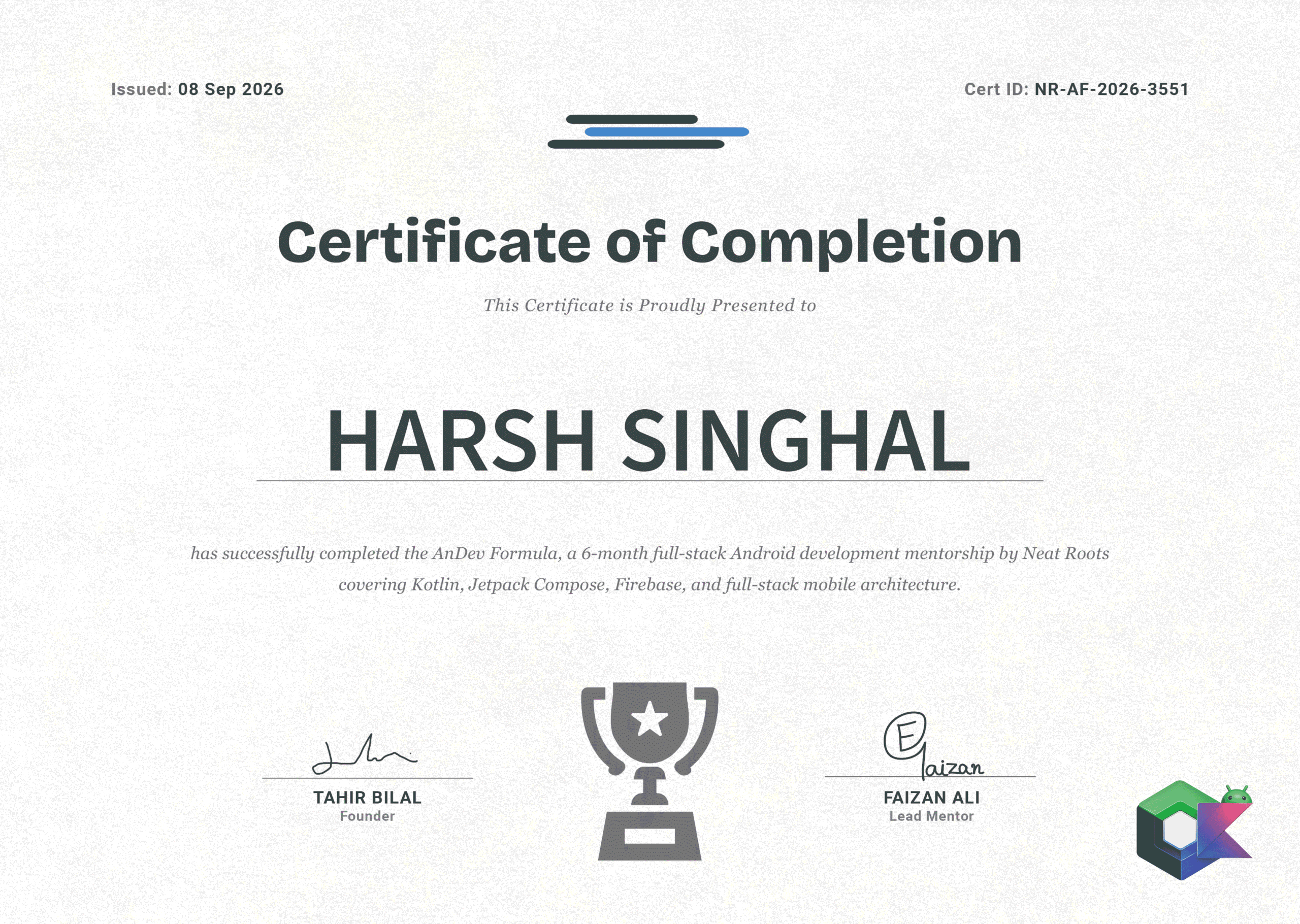
Finish the program, get a signed certificate from Neat Roots. Use it on LinkedIn, on your resume, in your bio. But the real flex is the eight apps you shipped along the way.

  • Issued on completionFinish the 6-month program and the certificate is yours.
  • Signed by the founderPersonally signed by Rana Tahir Bilal, founder of Neat Roots.
  • LinkedIn-readyAdd it to your profile under Licenses & Certifications. Recruiters notice.
  • Backed by the workThe certificate proves you finished. The 8 apps prove you can build.
AnDev Formula completion certificate
AWARDED ON Course completion

FAQs (Batch Related Doubts).

How long is the program?

Six months end to end. Three phases — Foundation (Kotlin & UI), Formula (architecture & data), Expert (advanced builds and career prep). By month six you've shipped 8 production-grade apps.

How will we actually learn?

By building, not by binging. Each topic starts with the fundamentals, then immediately moves into practical tasks and milestone projects. You submit assignments, mentors review them with detailed feedback, and you iterate. The program is structured so that what you learn on Monday gets used in code on Wednesday.

Why learn Android development now?

Mobile is no longer optional. Businesses, startups, and even small brands need apps to grow — and with billions of smartphone users worldwide, the demand for Android developers isn't slowing down. Skilled Android devs land high-paying jobs, freelance gigs, and build their own products. Learning this isn't just about code, it's about future-proofing your career.

How long will I have access to the course?

Live class recordings are yours for life. AnDev Formula community access (TAs, doubt support, batch group) runs for 1 year — long enough to finish the course on time and act on real opportunities, short enough to keep you accountable. We're not selling access, we're selling a deadline.

What's the class schedule?

Live classes run Monday, Wednesday, and Friday — three sessions per week. Each lecture is 2+ hours, followed by a 15-minute doubt session right after. You're never left to figure out what you missed alone.

What time are the classes?

Evening — 8:00 PM to 10:00 PM IST. Designed for students and working professionals who can't make daytime classes.

What language is the course taught in?

Hunglish — a natural mix of Hindi, Urdu, and English. Concepts are explained in whichever language lands fastest. No struggling to follow a thick accent or translating mid-explanation. You learn the way you actually think.

Do I get a certificate?

Yes — a signed certificate of completion when you finish the program. Add it to your LinkedIn and resume. The bigger flex is the 8 apps you'll have shipped, but the certificate has its place.

Can I do this while in college / working a job?

Yes — this is exactly who it's built for. Classes are evening (8-10 PM IST), Mon/Wed/Fri only. If you miss a class, the recording is up the next day. Most of our students are juggling college or full-time work — the schedule is designed around that, not against it.

What happens after I pay?

Share your payment screenshot on WhatsApp at wa.me/message/H5HTR5WQKFJMN1. Within 4 working hours you're added to the private Telegram batch group, where you'll get class links, assignments, and direct access to your TAs.

Stop watching. Start shipping.

Learn Android & Cross-Platform App Development with Real Projects, Hands-on Practice & Industry-Ready Skills

Scroll to Top